On this page
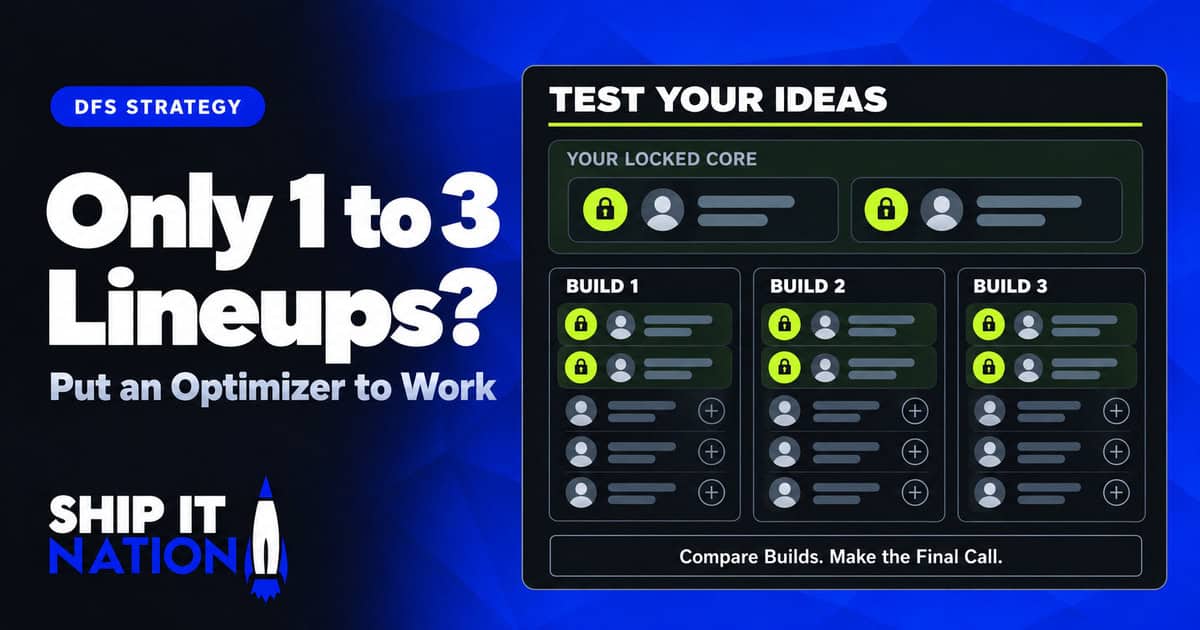
Yes, an optimizerOptimizerAn optimizer is software that builds DFS lineups within a site's salary cap and roster rules. It uses projected fantasy points, your settings and, in some tools, simulations to select combinations for a chosen goal.Build a small test batch first. Check which players and combinations repeat, and investigate why before increasing the lineup count or changing settings. helps even if you only play one to three lineups. It shows the default lineups the field is likely to build, lets you lock in your own core and test the rest, and helps you spot value before lock. Use it to inform your decision, not replace it.
Key takeaways
- Use an optimizer to study likely default builds and compare your ideas against highly projected combinations.
- Lock in your preferred core and let the optimizer test combinations for the remaining roster spots.
- Start with simple builds and use the results to inform your own final decisions.
What an Optimizer Actually Does for a Small Entry Player
Even if you’re only submitting one to three lineups, an optimizer gives you a way to see what the rest of the field is likely to build. Running a quick, rules free build shows you the kind of chalky, default lineup a large portion of the field will land on without any manual adjustments. That alone is valuable information when you’re deciding how to differentiate your own single entry.
An optimizer also lets you stress test your own ideas before you commit real money to them. If you’ve hand built a lineup you like, you can run it through an optimizer to see how it compares against the highest projected combinations available, and whether you’re leaving obvious value on the table without realizing it.
Treat It Like Film Study
If you’re entering a single entry or three max tournament, think of the optimizer as your film room. You’re not necessarily using it to generate your final lineup. You’re using it to understand the landscape you’re about to compete in, the same way an athlete studies game tape before facing an opponent.
This shift in mindset matters. You’re not outsourcing your decision making to software, you’re using the software to inform decisions you’re still making yourself.
Virtual Hand Building as a Middle Ground
One of the most useful applications for smaller entry players is virtual hand building. Instead of generating a fully automated lineup, you lock in the core pieces you already believe in, whether that’s a favorite value play or a specific correlation you want to build around, and let the optimizer fill in the remaining roster spots based on projections and salary constraints.
This approach keeps your personal convictions front and center while still benefiting from the optimizer’s ability to quickly test different combinations around your core idea, something that would take far longer to do manually with a pen and paper.
Spotting Leverage Before Lock
Optimizers also make it easier to spot leverage opportunities that might not be obvious just from looking at a slate. Running a few different builds and comparing salary usage, exposure, and combinations across them can highlight players or stacks that offer strong value without being obvious at first glance, something that’s much harder to catch when you’re building entirely from memory and gut feel.
You Don’t Need to Overcomplicate It
None of this means a single entry or three max player needs to master every advanced feature an optimizer offers. You don’t need complex exposure rules or massive multi lineup generation settings if you’re only building a handful of lineups. Start simple. Run a dry build to see the field’s likely default, test your own core ideas against the optimizer’s suggestions, and use that information to sharpen your final decision.
Getting Started
If you’ve never used an optimizer before, the SaberSim optimizer tool at Ship It Nation is built to work whether you’re generating a handful of lineups or several hundred, which makes it a reasonable starting point regardless of which format you play. The goal isn’t to replace your own judgment. It’s to make sure that judgment is working with better information than a guess made in isolation.
Go further: DFS PROcess 101 Members
Full video courses on bankroll management, contest selection, roster construction and more, free for members.
Common Questions
Do you need a DFS optimizer for single entry?
Yes. An optimizer helps even with one to three lineups. It shows the default lineups the field is likely to build, lets you lock in your core ideas and test the rest, and helps you find value you might miss by hand. Use it to inform your decision, not replace it.
What is virtual hand building in DFS?
Virtual hand building means locking in core players or a preferred correlation, then letting the optimizer fill the remaining spots using projections and salary constraints. It keeps your convictions central while testing combinations around them.
How should a beginner use a DFS optimizer?
Start with a dry build to see the likely default lineup, then test your core ideas against the optimizer's suggestions. Use that information to refine your final lineup without needing to master advanced settings.
Need a term explained? The Ship It Nation DFS glossary covers every DFS term we use in plain language. All articles

About the author
Tyler Tamboline
Tyler Tamboline co-founded Ship It Nation and is the face of the brand across our shows and community. He is also the Founder of DFS Mastermind, helping hundreds of DFS players find their own process. He has played DFS since 2012, focusing primarily on PGA and NFL, and has created DFS content full-time since 2018 at different sites across the industry. He is known for strategy, game theory and leverage in large-field tournaments. He has been a regular on many Fantasy Sports podcasts, including weekly PGA and NFL shows with Pat Mayo.
More from Tyler Tamboline