RESET DISCORD ACCESS

If you already connected to Discord before but don’t see the channels you expect, you may need to reset.

Just click DISCONNECT, wait a few seconds, then hit CONNECT again and authorize in Discord.

Common issues include being logged into the wrong Discord account, not completing the Authorize step, or an expired Ship It Nation membership.

Within a few minutes of connecting, your role will sync and member-only channels will unlock.

If this doesn’t work or isn’t making sense, please follow the step-by-step instructions below! 

1) Click ACCOUNT on ShipItNation.com

  • Log in at ShipItNation.com.
  • At the top, click ACCOUNT.

2) Connect with our Discord Bot

  • You’ll land on the Home tab of your account area.
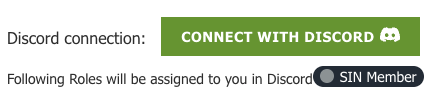
  • Scroll to the bottom until you see the Discord connection bot.


You’ll see one of two buttons:

  • Green: CONNECT WITH DISCORD → click to start.
  • Red: DISCONNECT DISCORD → you’re already linked.

    If access seems wrong, click Disconnect, wait ~10 seconds, then click CONNECT WITH DISCORD again.

3) Authorize in Discord

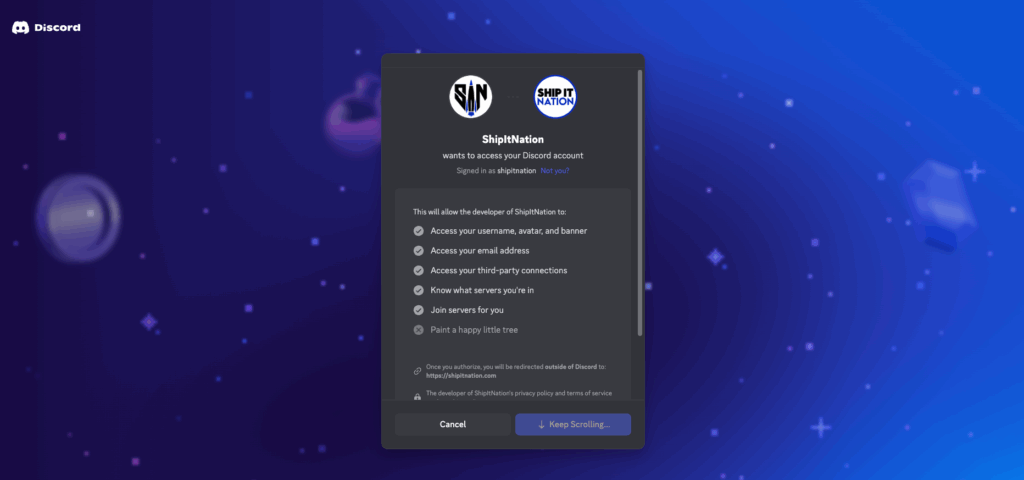
  • A Discord window opens.
  • Confirm you’re signed into the correct Discord account (look for your username at the top).
  • Scroll to the bottom of the permissions sheet and click Authorize.

4) Wait for role sync

  • You’ll be redirected back to Ship It Nation.
  • Within a few minutes, your Ship It Nation Member role (differs by account type) is applied and channels unlock.

NOTE: If you don’t see channels after 5 minutes:

  • Refresh Discord (Ctrl/Cmd+R on desktop; force‑quit and reopen on mobile).
  • Confirm you joined the server via the bot above.
  • Re‑connect: In ACCOUNT → scroll to Discord → Disconnect → wait 10s → Connect → Authorize again.
  • Use your personal Discord (not a work/kid’s account). Log out of discord.com, then retry connect.
  • Membership status: Ensure your Ship It Nation subscription is active.
  • Multiple emails: If your MemberPress email ≠ Discord email, it’s fine; the link is account‑based. Just be sure you’re authorizing the Discord account you actually use.

If all this fails, please LEAVE SERVER entirely within Discord and go back to step 1 (click ACCOUNT), scroll down to Discord connection bot and click CONNECT WITH DISCORD.